Hebrew temporary tattoos

With Passover behind us, next week begins the month of Iyyar, and that means we’re already on the next set of holidays and observances, known in Jewish day school circles (and elsewhere) as “the Yoms”:

  • Yom HaShoah, Holocaust Remembrance Day (27th of Nisan, this year falling on April 24, yesterday)
  • Yom HaZikaron, Israel’s Memorial Day (4th of Iyyar, this year falling on April 30)
  • Yom HaAtzma’ut, Israel’s Independence Day (5th of Iyyar, this year falling on May 1)

So, on the topic of your community’s upcoming Yom HaAtzma’ut celebration, I’m going to showcase yet another item I never would have guessed would become a cornerstone of my Etsy shop… custom printed temporary tattoos in Hebrew.

In 2022, I had already been creating tattoo designs in Hebrew for several years, mostly as custom work, and I posted a couple of successful designs in my Etsy shop as digital downloads only. Then in 2023, after fielding multiple requests, I started offering a Custom Hebrew Tattoo Design as a digital product, where I would translate your desired phrase and supply it in your choice of typeface, and that was that for a while.
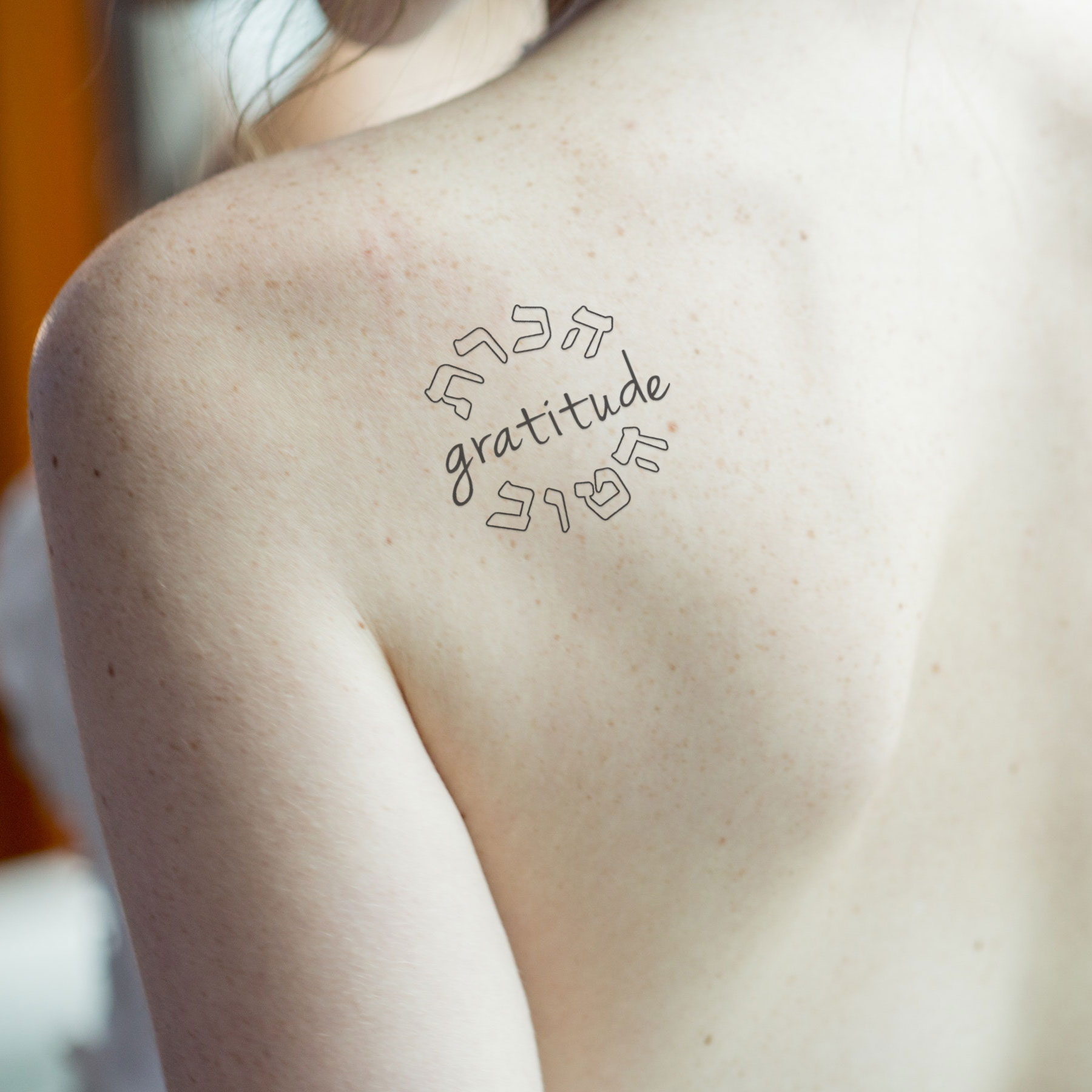
Then one week, I had two different buyers say “Gee I thought I would receive a temporary decal, how am I supposed to get this on my body?” I’m like “er, with needles and ink, I assumed?” but then I thought, well, is this something I can offer?

So I looked into it, and it turns out you can buy laser-printable tattoo paper on Amazon. I bought a couple different brands to test out, but they all seem to be essentially the same: a sheet of paper that you print on, and a sheet of plastic-backed adhesive film that you peel off and apply to the decal paper.

Tips and tricks for creating the decals:

  • Important note: your desired image has to be mirrored, meaning flipped horizontally, before you print it! I’ve wasted many sheets by forgetting this crucial step.
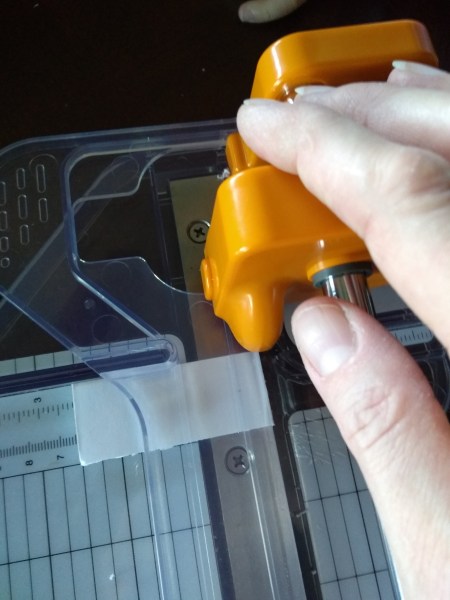
  • I cut the sheets in half before I print them. This makes it easier to print small batches without wasting any space, but it also makes the adhesive sheet easier to apply without skewing or flopping around.
  • Print-it-yourself tattoo paper doesn’t come out exactly like the temp tattoo decals you can buy at Party City or whatnot. You can see the clear film of the adhesive around the edge of the printing. It’s best to trim the decal with scissors fairly close to the design before you apply it. After application, you can dip a cotton swab in rubbing alcohol and gently “erase” the edges; this is also good maintenance once it begins to look dingy around the edges after a few days.

Directions for application (this is what I send to buyers with my decal orders):

  1. Peel off the clear backing.
  2. Place the tattoo image face down on your skin in the desired position.
  3. Moisten the backing paper of the tattoo with a wet cloth or sponge until it is fully saturated.
  4. Apply gentle pressure for 30 seconds.
  5. Slide the backing paper off slowly.
  6. Rub the finished tattoo with your finger to improve adhesion to the skin.

Your tattoo may last up to a week with normal bathing. To remove sooner, wipe with rubbing alcohol on a cotton ball or tissue. Don’t scrub it off, it isn’t necessary and just irritates your skin. (obligatory Jewish mom warning)

Besides the custom Hebrew temporary tattoos, I have added a number of stock phrases for sale as either digital downloads or temp tattoo decals, since they are commonly requested:

One of the interesting things about this venture is that I get as many Christian customers as Jewish ones. Most people don’t identify themselves outright as one or the other, and I don’t make my assumptions based on their names (although sometimes the names are pretty unambiguous!), but rather by the wording they use and the phrases they ask for. If you ask for “tikkun olam”, “zachor” or “l’dor va-dor” – pretty obviously Jewish or Jewish-adjacent. If you ask for “family”, “freedom”, “light the darkness”, or “never forget” – 99% likely Jewish. If you ask for “shepherd”, “redeemed”, or “daughter of the king” – Christian. I’ve also had a number of buyers identify themselves to me as Christians but fellow travelers supporting Israel or finding meaning in Hebrew texts, and I’m all for that. Either way, friends, I will do my best to help you out!

PS: It is commonly known, or at least asserted, that Jewish law prohibits tattooing. The halachic status is actually a bit complex, so I urge you to consult your local rabbi if you have questions. I’m not giving or denying permission to anyone, I’m just creating artwork for people to use as they see fit. However, as far as I know there are no Jewish religious restrictions on the use of temporary tattoo decals, so order away on these!

PPS: Boston friends, as you read this I’m getting on an airplane to attend a bar mitzvah in Cambridge for Parshat Shmini… either I’ll see you there, or please let me know where else I can see you!

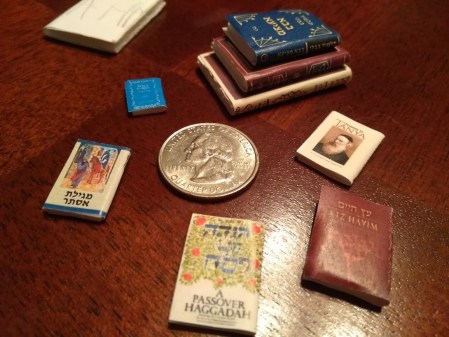
Miniature haggadahs, and other dollhouse Judaica

When I started my Etsy Judaica shop as an unemployed newlywed in 2014, I had no idea that “miniature books” would eventually be an entire category in my product line. But in 2017, I got a message from a past buyer: “Do you have a set of Tanya or the Talmud in 1:12 scale please? Any other Judaica?”

I didn’t, but I love Jewish books and I have always loved miniatures, so I figured, why not me?

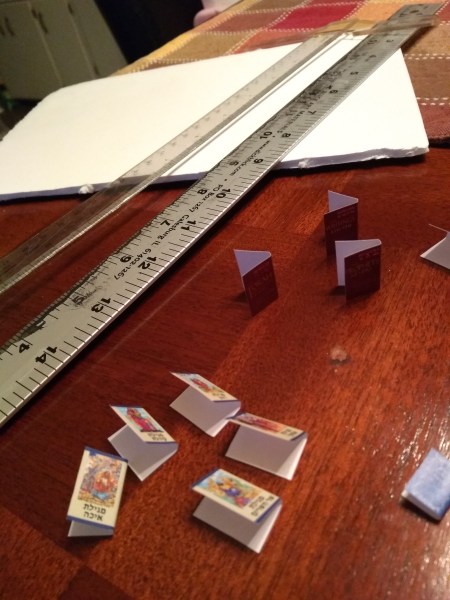
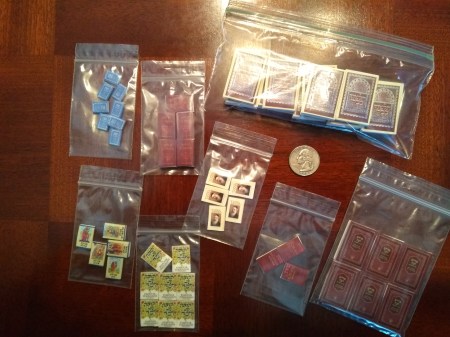
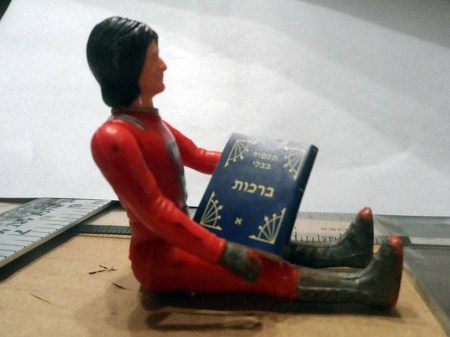
It took a couple years for me to work out the specifics, but I ended up creating over 80 pieces of 12+ different books for her, including multiple sets of Talmud volumes, a set of Midrash Rabbah, a JPS Tanakh, an Etz Hayim Humash (see also: Eitz Chayim Chumash), Passover haggadahs, the Five Megillot, B’Kol Echad benchers, and, yes, a five-volume set of Tanya (not yet posted for general sale, but if you’re looking for one, hit me up).

Continue reading

Help, I can’t copy my Constant Contact email: 2021 edition

A few weeks ago, a friend texted me in a panic for help, because she had gotten this vaguely threatening email from Constant Contact indicating that her email templates were about to go extinct.

At Constant Contact, we’re always looking for ways to improve our tools so that you can get the best results possible. That’s why, on March 10, we’ll be retiring your current editor in favor of our more advanced third-generation editor.Important: As of March 10, you will no longer be able to copy emails you created in your current editor.

With our third-generation editor, all templates are mobile-responsive—meaning they automatically format to any device (over 50% of all emails are opened on a mobile device).

To make the transition to our newest editor as seamless as possible, we recommend recreating your legacy emails in one of two simple ways.

Next time you log into your account, you can:

1. Choose a new template and fill in the content you want—our third-generation editor makes it easy to customize your template and get the professional look you want.
OR
2. Enter your legacy email or website’s URL into our branded template builder to automatically create an email that matches your website, logo and colors. Watch this short video to see how easy it is to make the change with our branded template builder.
To learn more about recreating your legacy emails, check out this helpful article.Thank you for being a loyal customer. We’re working hard to provide you with the most powerful editor for better email marketing.

The Constant Contact Team

Note that my friend does exactly what I assume most people producing a weekly e-newsletter do: you copy the previous week’s email, leave in the sections that are relevant, delete the items that are outdated, and add any new information. You don’t start from a fresh template every week, no matter how carefully you customize the base template. So she depends on that ability to copy, and having to build out a whole new template is a nontrivial challenge.

Now, I was a daily Constant Contact user for my previous company, and I had upgraded all their templates some time ago to use the “new” third-generation editor (which at this point can’t really be called new anymore; it was launched in 2018, over three years ago). So I can confirm that the new editor truly is a lot more powerful and flexible once you get the hang of using it. However, for users who are barely comfortable with the familiar second-generation version, it’s daunting.

I told my friend not to worry, I was on the case. The thing is, she didn’t really need to learn how to build a template from scratch. She needed an experienced user (me) to create the new template, and then she’d be back into her rhythm of copying from week to week.

Continue reading

The time my custom webfonts stopped working in Chrome and Firefox

When I last rebuilt erica-schultz.com back in 2012, I decided to incorporate a custom webfont in my Design and Judaica sections. In the interest of cross-browser compatibility, I used FontSquirrel’s free Webfont Generator to export EOT, SVG, and WOFF files, which I then called in my CSS @font-face declaration.

Fast forward to late 2016: I discovered that while my font still looked nice in Safari, it had stopped working in Chrome and Firefox. They had apparently gone and changed their font rendering in a way that broke my site. THANKS DUDES.

This week, I finally did a little research into the issue.  Continue reading

Don’t forget this essential finishing touch on your webpage!

Webmastering pop quiz time:

  • Raise your hand if you’ve ever seen the word “favicon”.
  • Keep your hand up if you actually know what it refers to.
  • Now keep your hand up if you already know how to produce one and add it to your own website.

… OK, you awesome folks with your hands still raised can go grab a coffee. The rest of you, read on!

What is a favicon?

Go to your Bookmarks or Favorites menu in your web browser. Right now. (Readers who aren’t well acquainted with bookmarking can probably go grab a coffee too and skip the rest of this post… but let me know and I’ll do a separate post on that, seriously. It is the key to managing your Internet life.)

[sample bookmarks menu]

A snippet from my own bookmarks menu, showing 9 visually distinctive favicons… and the dreaded “blank page” default icon in the highlighted 10th item.

See those little icons next to every item in the menu? Some of them are plain “blank page” document icons, but the majority of them are colorful little images that tell you at a glance exactly what site they’re referencing. This is a favicon, short for “favorites icon” (because it shows up in your Favorites list, get it?). It’s your site’s brand identity boiled down into 16×16 pixels (or 32×32 or more, depending on your operating system). And since it’s the only piece of your visual identity that gets stored along with a user’s bookmark, neglecting to supply one is like leaving your business cards in your other pants.

How do I make one?

There’s a special file type called “.ico” reserved for just such uses as these (also, say, desktop icons for Windows application files). Most browsers will also accept a PNG file as your favicon image, but not all. (For the technical specs, I commend to your attention this excellent 2013 article, “Understanding the Favicon” by Jonathan T. Neal.) So it’s best to use a dedicated .ico file.

Here’s the trick: for some reason, image editors do not include “.ico” in their repertoire of file types. So to convert your desired image (PNG, GIF, JPEG, even BMP) to .ico, you have to use one of the many online file converters. Here are a few:

  • http://realfavicongenerator.net/ – If you want heavy-duty performance, this site will take a 260×260 file and produce a single icon that correctly embeds all the different sizes any modern icon set requires, then check your usage once you’ve installed it.
  • http://favicon-generator.org/ – Quick and dirty for 16×16 pixels.
  • http://tools.dynamicdrive.com/favicon/ – As a happy medium, this one will embed 32×32 and 48×48 versions of your image, as well as 16×16, into a single .ico file.

You can certainly use a solid square image, but if your logo is natively any shape other than square, your favicon will look more slick and professional if you use a transparent background.

Once I have the image, how do I set it as the favicon for my website?

If you have named your file “favicon.ico”, all you really need to do is place it in the root directory of your site. Browsers are hard-wired to look there and do the right thing with it. Presto!

You can also place it in another directory (such as /images) or use a different filename, but then you have to place a little extra code in the headers of your pages. Just add these two lines for your .ico file.

<link rel="shortcut icon" href="/images/favicon.ico" type="image/x-icon">
<link rel="icon" href="/images/favicon.ico" type="image/x-icon">

(Of course, use the actual path to your own image filename, if /images/favicon.ico above isn’t it.)

If you’re using a PNG file, the code is similar, but you also have to change the specified type:

<link rel="shortcut icon" href="/images/favicon.png" type="image/png">
<link rel="icon" href="/images/favicon.png" type="image/png">

Good news for this WordPress.com blog and everyone else’s: you can now set a custom favicon here, too. Go to your blog dashboard (you can type in /wp-admin after your blog’s wordpress.com URL) and click the “Settings > General” tab. On that page, you’ll see a box in the right-hand column for “Blog Picture / Icon”. Upload something here, crop and save, and it will automatically be set as your “blog image” (avatar), which WordPress will also use as your favicon.

Bonus question: How is it pronounced??

Unsurprisingly, opinions do differ. The top contenders seem to be:

  • FAV-ih-kahn (short a, short i)
  • FAVE-ih-kahn (long a, short i)
  • FAVEEYE-kahn (long a, long i)

Whatever your preference, happy fav(e)-ing!

Pro Tip: “Invite Them All” on Facebook

How to Invite All on Facebook | New Code

One of the many little convenience features Facebook has decided you should NOT have is an easy “select all” toggle for adding your friends to an invitation. However, JennyLee has created a little javascript workaround that works right in your browser bar to do exactly what you want: check off all the little boxes of the group of 100 friends you’ve loaded, so you can click “Invite” and boom! your event is underway.

More about ISBNs

After my last post, a friend commented on Facebook to point out, “This doesn’t give you an ISBN, just the ability to print a barcode for any ISBN. You have to pay for prefixes for those things…” Well, yeah, I said. I know that. Therefore it hadn’t even occurred to me that the distinction might bear explaining!

So here’s a little primer on ISBNs.

The ISBN is the identification number which is required for most online sales as well as library systems. It stands for International Standard Book Number. (Note that this means “ISBN number”, which I used to hear all the time from my bookstore colleagues in the early 1990s, ranks up there with “ATM machine” as an instance of RAS syndrome.)

Every distinguishable edition of a book (most often, hardcover and paperback, or 1st edition vs. revised/2nd edition) requires a separate, unique ISBN. Exceptions that can retain the same ISBN include (a) reprinting a book, in the same format as previously, with a new cover but the same interior, or (b) reprinting a book, in the same format as previously, with minor text corrections to individual pages but no substantial revisions or additions.

Now ISBNs, as an international standard, can only be issued by the official ISBN Agency for each country. The authorized U.S. ISBN Agency is a private company called R.R. Bowker, LLC, who also used to publish the multi-volume hardcover catalog of Books In Print, which was completely indispensable back before there was an Amazon.com.

Bowker will issue “a publisher” (whether that’s yourself as a private individual, or a corporate entity) a single ISBN, for a service charge of $125 per book. But for $250, you can apply for a “prefix” and reserve a series block of 10 usable ISBNs. Either way, start with the application link here: http://www.isbn.org/standards/home/isbn/us/application.asp

Why the jump from 1 to 10? Because of the way it’s structured. Modern ISBNs have 13 digits, as follows:

  • 978 = arbitrary 3-digit prefix added in 2007 to convert all formerly 10-digit ISBN strings to 13 digits
  • 0 or 1 = US country code
  • The intervening 8 digits are divided up between the publisher prefix and the title identifier. Large publishers have very short prefixes (3 or even 2 digits), because they could easily have 10,000+ distinct titles/editions in their catalog, so they need to be able to encode 5 figures’ worth of unique digit strings under their prefix. The smallest publishers will have a 7-digit prefix, leaving only 1 digit for their title space: 0 through 9. That’s your block of 10. Single-ISBN reservations simply get issued a string of all 8 digits at once and you’re done—you can’t get another in the same sequence after that.
  • The last digit = a check digit for redundancy. This is like a parity bit in computer programming: it’s calculated based on the preceding 12 (or formerly 9) digits. This is why the ISBN-13 for a given book shows a different check digit from the old ISBN-10.

Bowker will also sell you a bar code for your ISBN, for the modest additional charge of $25 each. You do, in fact, need a bar code to place on the cover—bookstores, online retailers, and libraries all require it. But as I already noted, that’s the part for which there are now free online generators.

Other important cataloging steps have to be addressed separately from ISBN registration if you want to do them:

Further reading for the truly intrigued: Bowker’s ISBN FAQ list.

Oh, and in case you’re wondering: I’m still waiting on the last text corrections from the author before I can send the book project to press, which is why I have time to write all this. :-)

Free Online ISBN Barcode Generator

My dad says I’ve been “pretty quiet lately”, which is perhaps because I’ve been plugging away solidly for the last month trying to get a book project to press. This is a freelance project on which I’ve been working for over two years at this point, but we’ve been in the home stretch since approximately November 2012.

In the home stretch of the project, as all designers know, come all the nitty-gritty details that you’ve pushed off dealing with until “later”. Guess what? It’s later.

So tonight’s task (while I wait for the copyedited index and last few page corrections from the author) is to get the cover files set up. We’re doing a split bind (about 1/3 stamped cloth case with jacket, 2/3 paperback cover), so I have to do them both ways, according to the measurement templates the printers sent me just this morning.

It also means we have two different ISBNs, and guess what else? I need to create bar codes for them. Back in my early publishing days, we didn’t even HAVE barcodes; then we used to order away for them specially. But I figured in this day and age, there was a good likelihood that the Internet could deliver something instantly, and maybe even for free.

Lo and behold, Google found me the answer:
https://www.creativindiecovers.com/free-online-isbn-barcode-generator/

These fine folks wrote a slick little utility that will generate an EPS file of your ISBN barcode, complete with the price code add-on (if you have one).

I am grateful, so I’m sharing the love. :-) They also do really nice work on the design side.

Let’s just remember to test both barcodes before we commit ink to paper, okay? And I promise I’ll tell more about the book itself when it actually launches.

Linkfest

I’ve been wanting for days and days to write some stuff about what’s happening on my interior landscape, but have been too busy churning out actual work (made some updates to my website, though, alongside working on the big book project). So, in lieu of content, you get some of the interesting things that have come up in the past several weeks.

Design & typography

Beautiful and colorful, both from This Is Colossal:
The Chromatic Typewriter: http://www.thisiscolossal.com/2011/12/the-chromatic-typewriter/?src=footer
A Massive Black Field of Cut Steel Plants Hides a Colorful Secret: http://www.thisiscolossal.com/2012/01/a-massive-field-of-cut-steel-plants-reveals-a-colorful-secret/

The Met has a new section on their (recently overhauled) website called “Connections”, a long series of thematic presentations with voiceovers by various Museum personnel and specialists. It’s really nice.
http://www.metmuseum.org/connections/

Of historical interest: a film about Linotype (click to read about/see the trailer if you don’t know what that is) that premiered in NYC this past weekend:

Linotype: The Film

“How to Build a Newsroom Time Machine”: Typesetting and layout the old-fashioned way, or, what “on the pasteboard” really means:

HOW TO BUILD A NEWSROOM TIME MACHINE

Writing

Gotham Writer’s Workshop offers FREE writing classes! (well, one-hour workshops, but it could be fun):
http://www.writingclasses.com/CommunityEvents/index.php

An old one from Neil Gaiman about how to get published and/or how to get an agent:
http://journal.neilgaiman.com/2005/01/everything-you-wanted-to-know-about.asp

Work

Fascinating:
Scaling back consumption in service of happiness:

See also: http://finance.yahoo.com/news/the-case-for-a-21-hour-work-week.html

Useful:
http://www.lifehack.org/articles/lifehack/the-100-best-lifehacks-of-2011-the-year-in-review.html
(srsly, read only the ones that you find interesting! Skip the rest!)

Relationships

Unbelievably beautiful:
http://www.huffingtonpost.com/arjuna-ardagh/goddess-worship_b_660896.html

Insightful:

30 Things to Stop Doing to Yourself


http://www.lifehack.org/articles/lifestyle/naming-elephants-10-ways-to-use-radical-honesty-to-improve-your-relationship.html

Not really so insightful, but several people pointed me at it:

Mmm!

Scotch tastings in NYC:
http://nycwhisky.com/events-old

Star Wars

I forget who pointed me at this, but I am totally loving it (and I’m on about page 52 of 600+ and counting — they just got up to Episode IV last month).
Darths & Droids is an “RPG screencap comic” that re-envisions Star Wars: Episode I (The Saga Begins) as a roleplaying campaign. Apparently inspired by DM of the Rings, but funnier in terms of making sense of the weaknesses of the source material.
http://www.darthsanddroids.net/episodes/0001.html

This reminds me that I also wanted to post this link when it first came to my attention several months ago:
Secret History of Star Wars: A Tribute to Marcia Lucas
http://secrethistoryofstarwars.com/marcialucas.html

Jewish

Jewish Sacred Theatre – Its Components and Its Means:
http://www.jewish-theatre.com/visitor/article_display.aspx?articleID=525

A handy nuts-and-bolts link on kashering your kitchen:
http://njop.org/resources/kosher/how-to-keep-kosher/